
Drag to organise
Drag clips into any group and drag whole groups up and down. A glowing line shows where things will go.
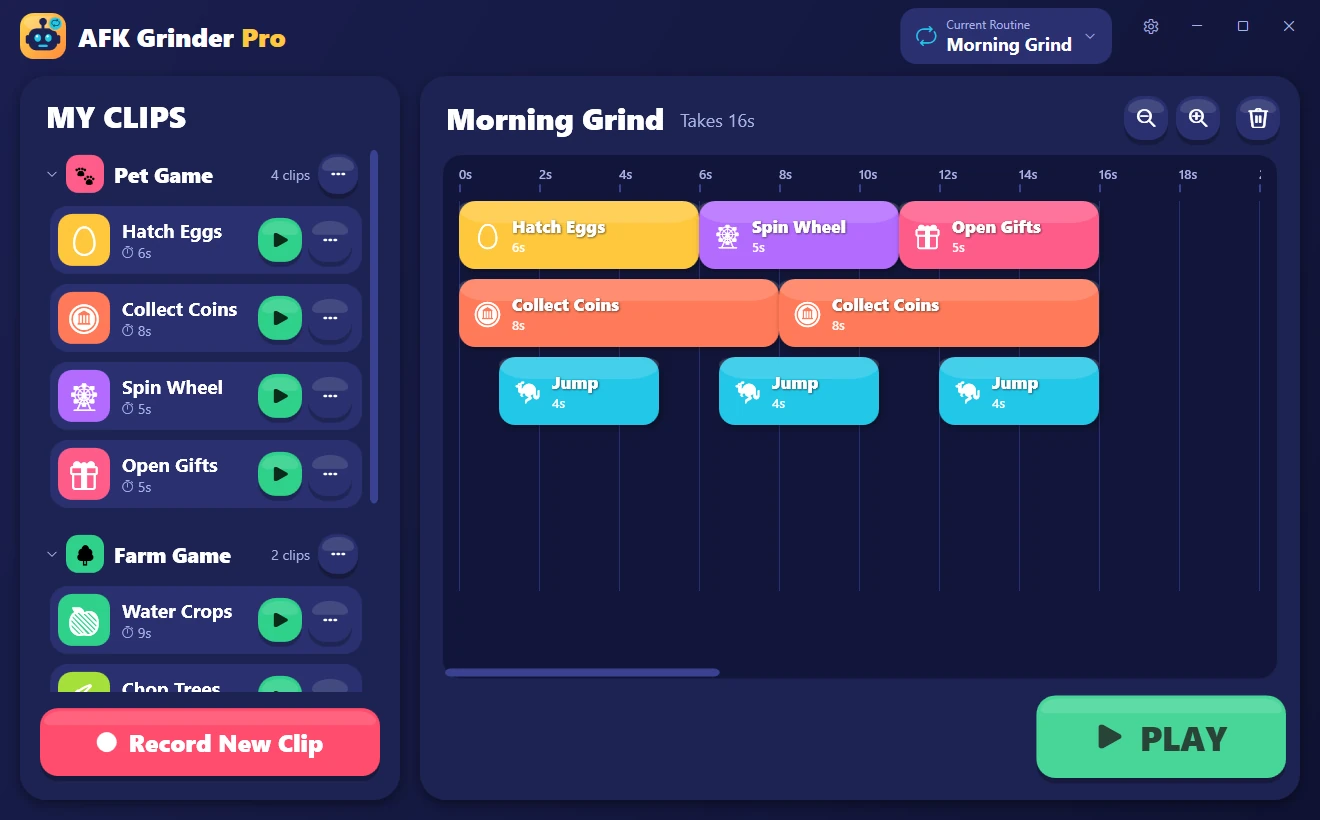
AFK Grinder records what your mouse and keyboard do as short clips. Snap clips together into a routine, press Play, and it does the boring, repetitive bits for you. Big buttons and simple words mean young gamers can build routines on their own.
The Windows installer is not available yet.
How it works
Three steps, no programming and no settings maze. If you can play the game, you can teach AFK Grinder to play the boring parts.
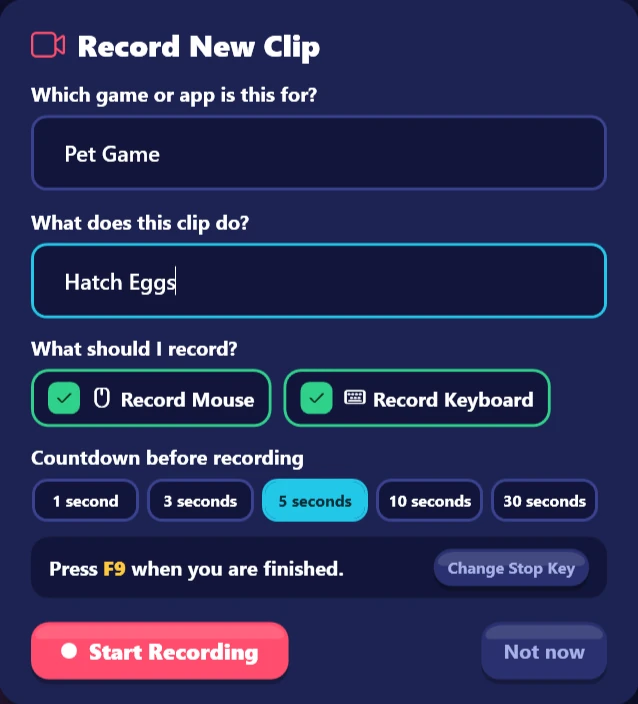
Press Record New Clip, say which game it's for and what the clip does, then just play. A red border shows while AFK Grinder is watching.
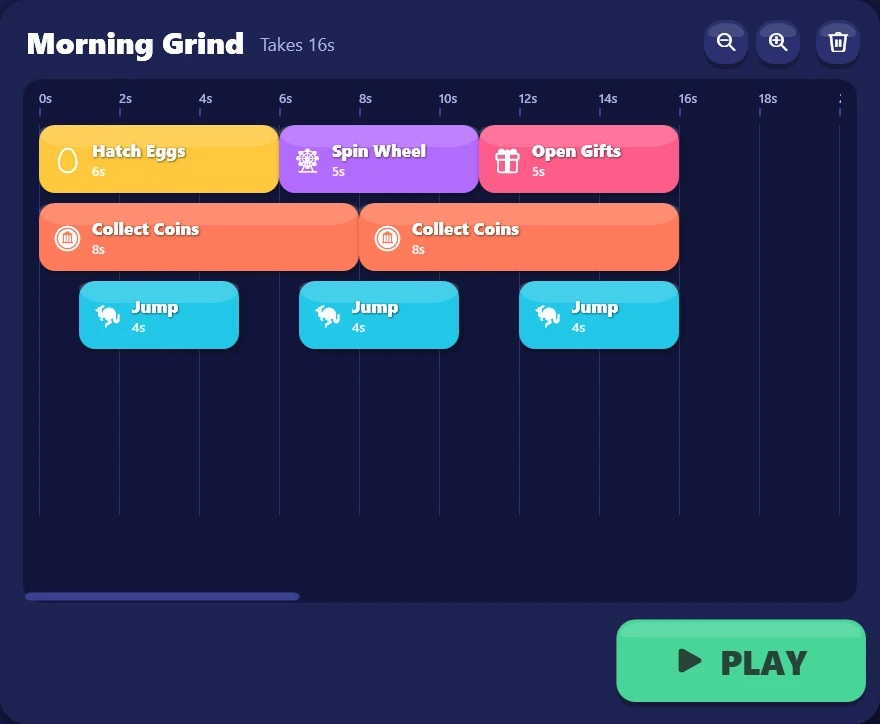
Drag clips from My Clips onto the routine timeline. A dashed outline shows exactly where a clip will land before you let go.
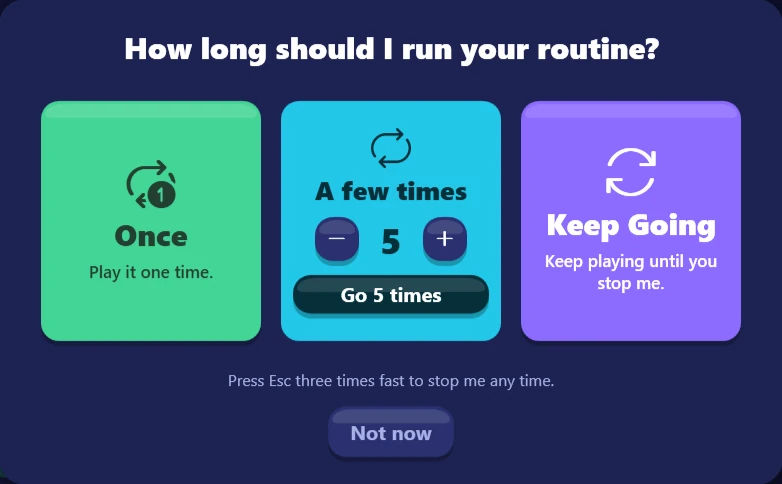
Choose how long to run it: Once, a few times, or Keep Going until you stop it. Then switch to your game and let AFK Grinder take over.
Your clip library
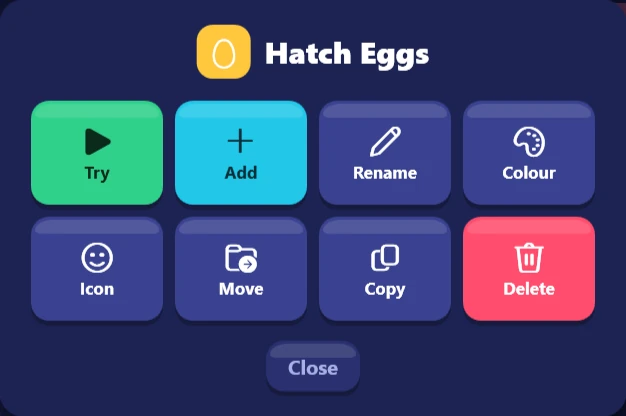
Clips are grouped by game, and every clip and group gets its own colour and icon, so they're easy to spot even for kids who are still learning to read. Tap the ••• button on any clip to try it, add it to your routine, rename it, copy it or move it to another game.
Drag clips into any group and drag whole groups up and down. A glowing line shows where things will go.
Pick from eight bright colours and a box of icons: eggs, gems, swords, pets, rockets, coins and more.
Every action runs on one precise clock, so loop 500 lines up exactly like loop 1.
Clips running at the same time never "let go" of each other's keys, so holding W while clicking just works.
There's no Save button and nothing to lose. Every change is stored on your PC straight away.
It only uses ordinary mouse and keyboard input, so it works anywhere you can click and type, on any of your screens.
Safe to leave running
However a routine is going, three quick presses of Esc cancel it, let go of every key and mouse button, remove the overlays and bring AFK Grinder back. It listens on its own, separately from everything else, so it works even if something gets stuck.
Always on, while recording and while playing.
Pausing releases every held key and button, so nothing stays pressed while you step away.
Standard Windows input, nothing more. No game-specific code, no injecting into other programs, no reading game memory.
Clips, routines and settings are saved on your computer. There's no account to make and nothing to sign in to.
Your stop key, clicks on AFK Grinder's own controls and the input it plays back are never recorded into a clip.
Play fair: some online games don't allow automation. Check the rules of the game you're playing before leaving a routine running.
Free & Pro
The free version has the whole record, arrange and play workflow, and keeps up to three routines, three categories and three clips in each category. Pro lifts those limits and adds clip speed, sharing and a roomier layout.
One payment, not a subscription.
Pro is planned as a one-time purchase.
AFK Grinder
Installer coming later.
AFK Grinder Pro
Checkout is not open yet.
Simple licensing
AFK Grinder Pro uses a simple licence instead of an app account. Your purchase receipt is where recovery starts, and once Pro is activated it keeps working without a constant internet connection.
Final activation and recovery details will be published before sales open.
No recurring subscription is planned.
Your purchase receipt is the recovery starting point.
No permanent connection is needed for Pro features.
Questions, ideas, feedback
Discord will be the place for general help, routine ideas and product discussion. Joining is always optional, and private purchase details should never be posted there.